
PROMPT PUBLIÉ PAR LA SOURCE
=== ARCHITECTURE & VISION ===
A sophisticated developer-centric UI with a dark theme, utilizing square primary buttons, pill-shaped status indicators, and rigorous monospace typography for data integrity. The design emphasizes visibility of complex workflows through high-contrast table structures and subtle radial accent glows.

=== STYLE & DIRECTION ARTISTIQUE ===
• description: The style is defined by a 'Dark Tech' aesthetic: high-contrast text on black, monospace for metrics/IDs, and 'Inter Display' for editorial headlines. It features zero-radius 'brutalist' buttons contrasted with fully rounded status chips. Interaction is signaled through subtle border rings and radial background glows.
• prompt: Create a design with a deep #000 background. Use 'Inter Display' for headlines (font-weight: 500, letter-spacing: -1px to -3.36px) and 'Geist Mono' for all data/metrics (#999999). Primary CTAs are 'btn-square' with 0px border-radius, background #FFFFFF, and text #121212. All cards (#0a0a0a) must have a 1px ring border of rgba(255, 255, 255, 0.145). Status chips are pills (100px radius) with a #1f1f1f background and 12px text. Use a specific accent blue (#52a8ff) for active states and a success green (#62c073) for positive indicators. Implement a 'scrim' gradient for hero images using linear-gradient(to top, rgba(0,0,0,0.76) 0%, rgba(0,0,0,0) 93.785%).

=== STRUCTURE & SECTIONS ===
• description: A structured multi-section landing page with an immersive hero, bento-grid feature displays, and a detailed data-visualization 'Event Stream' section.
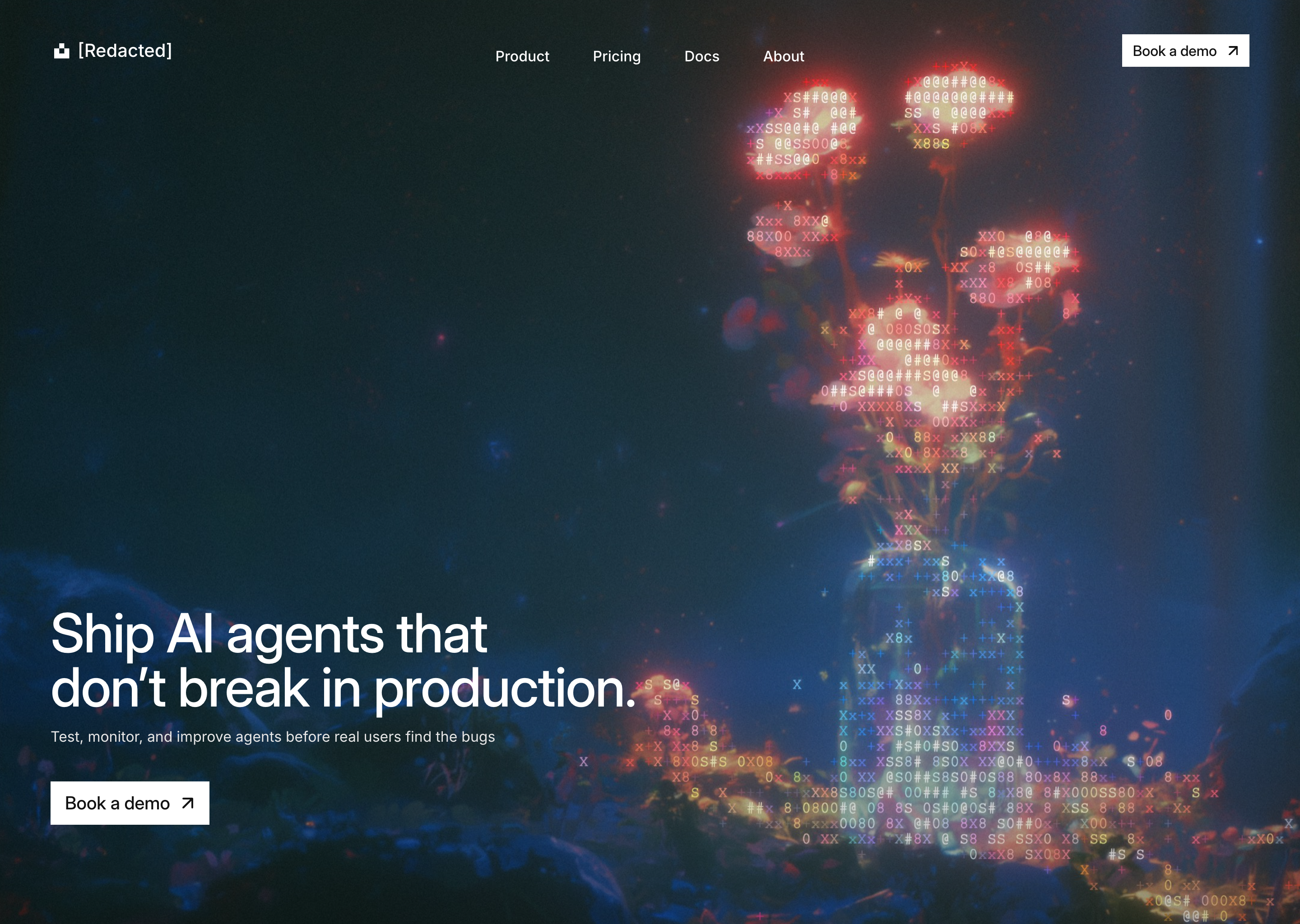
• prompts: [{"part":"Header","prompt":"An absolute-positioned header at the top (top: 38px) with horizontal padding of 56px. Left side contains a logo with a geometric SVG and brand name in Inter Medium (20px). Center contains a hidden-on-mobile nav with links (16px, white). Right side has a 'btn-square' CTA 'Book a demo' (background: #fff, text: #121212, padding: 8px 12px) featuring a diagonal arrow icon."},{"part":"Hero Section","prompt":"Full-height (100svh) canvas frame. Background is a high-quality object-fit: cover image with a heavy black scrim overlay on the bottom 40-70%. Headline uses 'headline-fluid' class (32px to 60px size) in Inter Display, white, with a max-width of 752px. Subtext is font-size 16px, color #e7e7e7. Large CTA is btn-square, font-size 20px, with a 12px diagonal arrow icon."},{"part":"Event Stream Table","prompt":"A card-based table layout. Header contains a trace ID and duration chips. Split view: left sidebar (240px) shows a scrollable list of event IDs with status dots. Right side is a table with columns: SPAN, START, and DURATION. The START column uses a progress-bar visualization (1.5h relative background) where an absolute-positioned div represents the duration and offset of that specific span using rgba(255, 255, 255, 0.18) or #52a8ff for focus."},{"part":"Bento Feature Grid","prompt":"A 3-column grid of cards (#0a0a0a). Card 1 (Regression): shows a vertical list of status rows with PASS/FAIL chips and percentage changes. Card 2 (Failure Clustering): shows stacked horizontal bar charts for error metrics. Card 3 (Version Replay): shows a code-diff view with green/blue side-borders for added/modified lines."},{"part":"Metrics Grid","prompt":"A 4-column border-connected grid. Each cell contains a large numerical value in Geist (56px, tracking -3.36px) with a smaller monospace unit label (e.g., 'ms', 'M', '%') and a descriptive subline in #999999."}]

=== COMPOSANTS CLÉS ===
• {"component":"Status Chip (v-chip)","description":"A standardized pill indicator used for status reporting.","prompt":"Create an inline-flex element: background #1f1f1f, border-radius 100px, padding 4px 10px, gap 6px. Inside, a 6px x 6px circle with a status-dependent background color (#62c073 for PASS, #999999 for WARN, #ededed for ERROR/FAIL) followed by uppercase text in Geist Mono, font-size 12px, color #999999."}
• {"component":"Timeline Progress Bar","description":"Visual representation of event timing in a table.","prompt":"Container: w-full, h-1.5, bg-transparent. Inner bar: absolute, height 100%, rounded-sm (2px). The inner bar's left position and width should be controlled via percentage to represent start time and duration respectively. Default color: rgba(255,255,255,0.18), Active color: #52a8ff."}
Superdesign UI · Texte publié par la source. Les références et réglages peuvent être nécessaires ; le résultat identique n’est pas garanti.
La source est indiquée pour consulter le contexte et les conditions de réutilisation.
← Continuer à explorer